

News and tips
from imCAD.
Feature guides, tips for writing requests, real demos in SOLIDWORKS and product news.
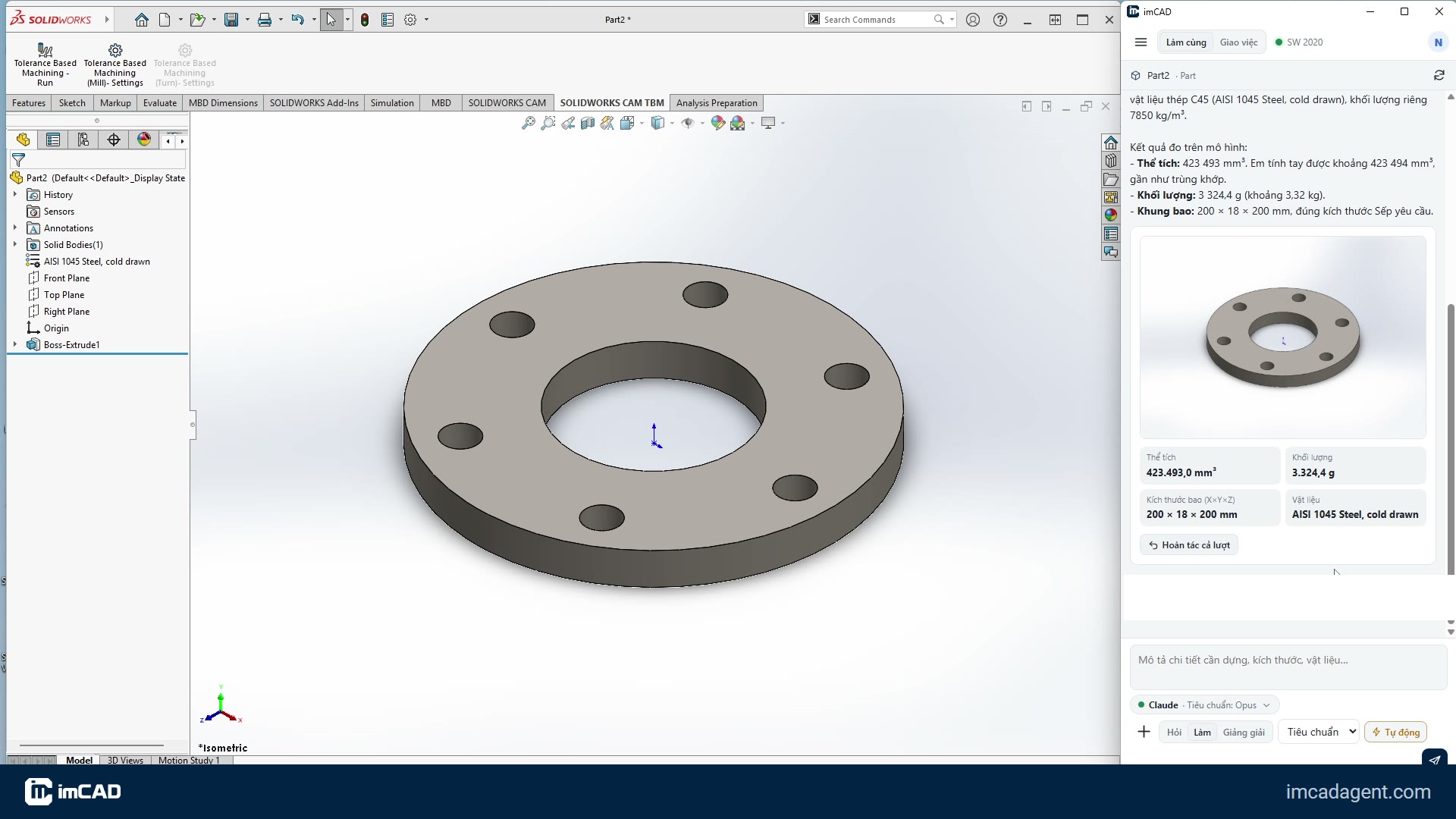
Building a DN80 flange from one sentence
One sentence, a 4-step plan, a finished flange in SOLIDWORKS with its mass checked against a hand calculation.
ReadHow imCAD follows your company's standards
imCAD's knowledge comes in four tiers: Foundation, Standard workflows, Modules, Enterprise. Your company's own way always wins.
Choosing an AI brain for imCAD: Claude or ChatGPT?
imCAD runs on your own AI account. Which plan you need, how to set it up, and how to switch.
Building parts from a PDF drawing or a sketch photo
Drop a drawing or a photo of a sketch into the chat; imCAD reads the dimensions and rebuilds it as an editable SOLIDWORKS model.
Background tasks: imCAD works, you keep designing
Long jobs like drawings for a whole folder or STEP export for a project run in a background SOLIDWORKS, leaving your window free.
5 tips for writing requests imCAD gets right the first time
Write requests for imCAD the way you would brief a new engineer: full dimensions, a clear origin, one job at a time.
What is imCAD? An AI modeling assistant inside your CAD software
Intelligent Modeling CAD: you describe, imCAD plans, lets you review, then builds parts, assemblies and drawings in SOLIDWORKS.
Why imCAD lets you review before it builds
Three approval levels, a sketch before building, undo for the whole turn. The AI never changes your model on its own.
You have the idea.
imCAD builds it.
Create an account and verify your email to get a full-featured 7-day trial and download the installer right away.